Made with care in Argentina. Shared with the world.
Your files. Your server. Your rules.
ProjectSend is the open-source client portal for sharing files privately with clients, partners, and teams — without handing control of your data to someone else.
Free and open source since 2011. No per-user fees. No platform lock-in.
- Docker downloads
- 4.8M+
- Active instances
- 4,000+
- Languages
- 70+
- GitHub stars
- 2,000+
Independent and open source since 2011. Free forever under GPL v2.
Fifteen years of independent software
Built because file sharing should not mean giving up control.
ProjectSend began in Argentina in 2011 as a practical tool for sharing files with clients. It kept growing because people kept using it, translating it, improving it, and trusting it with real work. Fifteen years later, the idea is still the same: technology should give you more agency, not less.
Not built to lock you in. Built to put you in charge.
Features
Serious control. Human-scale simplicity.
ProjectSend gives you the tools to protect files, organize client access, and create a professional delivery experience — without turning file sharing into another complicated system.
Private by Architecture
Host ProjectSend on infrastructure you choose and decide where your files live.
Two-Factor Authentication
Add a second layer of account protection with TOTP authenticator apps and single-use recovery codes.
A Real REST API
Automate files, clients, groups and comments with scoped tokens and API documentation the app generates itself.
Permissions That Fit Your Work
Create roles and control access with the level of detail your organization needs.
LDAP and Single Sign-On
Sign in the way you already work: LDAP with auto-provisioning, single sign-on, or plain email and password.
Download Limits
Set per-user or total caps and reduce unwanted distribution with automatic enforcement.
Storage Quotas
Give each account a clear limit and track usage as files are uploaded.
External Storage
Connect supported object storage and choose where each upload belongs.
Your Brand, Front and Center
Customize portals and emails so file delivery feels like part of your relationship — not somebody else's platform.
Custom Fields
Collect the information your workflow actually needs with flexible fields for users and clients.
Comments and File Versions
Keep the conversation on the file, and mark an upload as replacing an earlier one — recipients are notified.
Client Portals
Give every client a focused place to receive files — and send files back when you allow it.
Automatic Expiration
Set an end date for access so sensitive files do not remain available forever.
Straightforward Installation
Start with Docker Compose in minutes, or install from a release zip on your own nginx server.
Complete Activity Trail
See when files are uploaded, accessed, and downloaded, with detailed logs for accountability.
Sixteen Languages, Curated by You
Serve people in the language they work in — choose which languages your installation offers and which one everybody starts in.
Compare
Built for client delivery — not adapted to it.
ProjectSend combines the control of self-hosting with a client-focused experience: private accounts, groups, branded portals, upload-back workflows, expiration, and detailed activity logs.
Feature comparison · Last verified: August 2026
| Feature | ProjectSend | Nextcloud | WeTransfer | Dropbox |
|---|---|---|---|---|
| Self-hosted | ||||
| Open source | GPL v2 | AGPL | ||
| Dedicated client accounts | ~Partial | |||
| Client groups | ||||
| Auto-expiring files | ~Pro only | |||
| Clients can upload back | ||||
| Download limits | ||||
| Encryption at rest | Not yet in 2.0 | |||
| Client portal themes | ||||
| Two-factor authentication | ||||
| Translated interface | 16 languages | ~Partial | ~Partial | |
| S3 / object storage | — | — | ||
| Setup complexity | Low with Docker | ~Medium | — | — |
| One-time cost | Free | Free | From $10/mo | From $10/mo |
| Infrastructure & data location control | Full | Full |
Features, plans, and prices change. This comparison reflects publicly available information as of the date above.
Download
ProjectSend, ready when you are.
Download the latest stable release, verify the checksum, and install ProjectSend on infrastructure you trust.
Latest stable release
ProjectSend 2.8.0
Released October 2026
Verify your download · SHA-256 checksum
c6e12e76513dda6e7fff9560852964a37e6e5c062d8db4722ba517c24dd1dcaa
Moving an existing installation? ProjectSend 2 installs fresh and imports your site with the migration guide. The previous generation continues as ProjectSend Legacy — latest release r2098.
With Docker (recommended)
- Docker Engine + Compose
- Everything else is wired for you
From the release zip
- PHP 8.4+ (CLI and FPM)
- MySQL 8.0+
- nginx with PHP-FPM
Good to know
- Redis optional
- Shell access needed for zip installs
💡 Docker is the quickest path: one command and everything is wired up. Installing from the zip takes about ten minutes on a server you have shell access to — it is not an FTP-only install.
Recommended
The quickest path is Docker.
One command brings up the whole stack — the app, its background worker and scheduler, the database and Redis — and the first thing it shows you is a setup screen that creates your administrator account. The official image ships with its dependencies and frontend already compiled, so there is nothing to build: neither Composer nor Node.
Before you put real files in it, read the Docker guide: where your database and uploads live, and how to back them up. The LinuxServer.io community image on Docker Hub packages ProjectSend Legacy, not this one — the official image is projectsend/projectsend.
Quickstart
curl -O https://raw.githubusercontent.com/projectsend/projectsend/main/docker/production/compose.example.yaml
# edit APP_URL and the passwords in it, then:
docker compose -f compose.example.yaml up -d
# → open APP_URL — the setup screen creates your admin account
See it in action
See how it works, screen by screen.
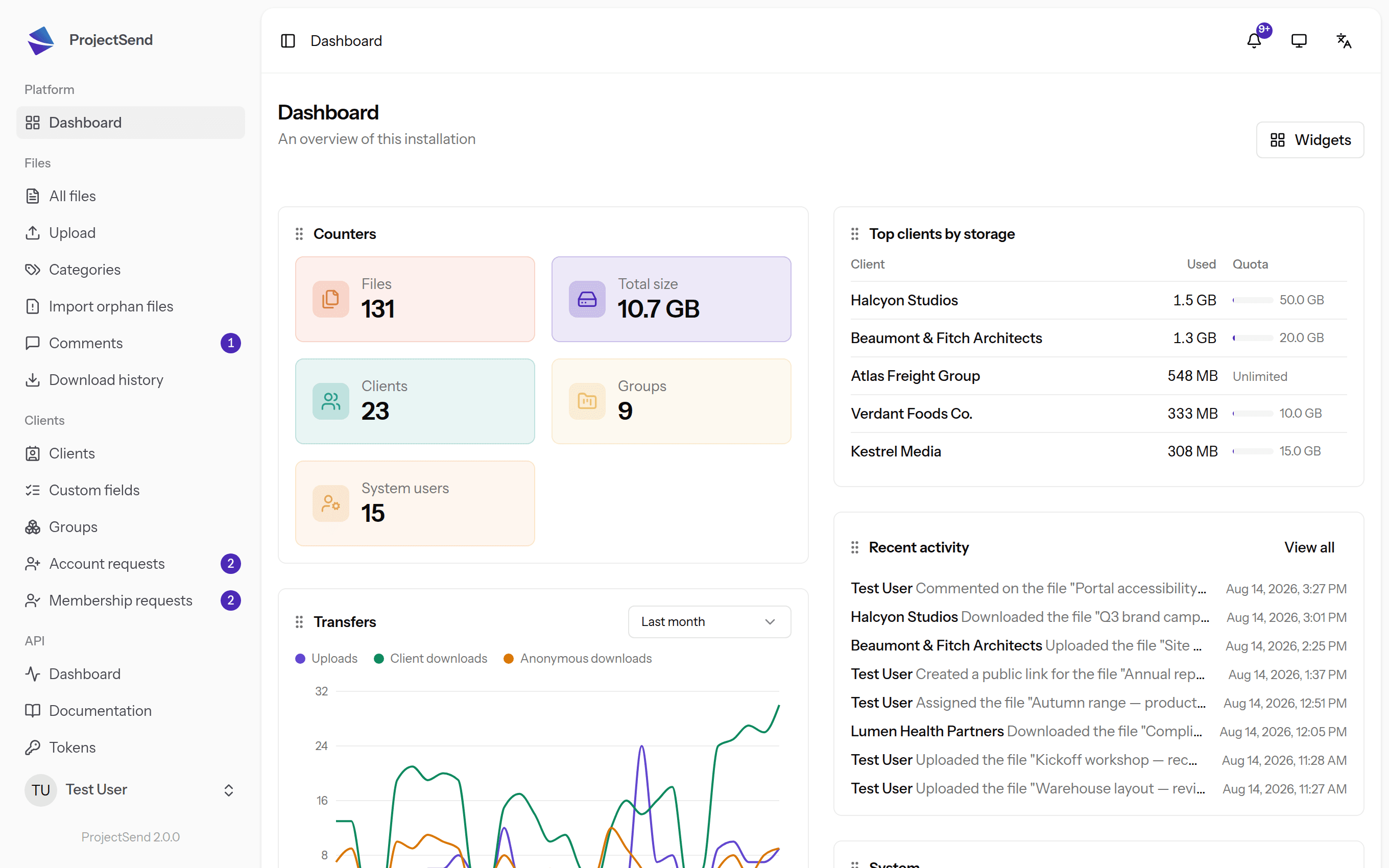
Walk through real screenshots of ProjectSend — uploads, client portals, permissions, and the activity trail — before you install anything.
Languages
Available in more than 70 languages.
ProjectSend ships in English and can serve your clients in the language they work in — from Spanish and Portuguese to Japanese and Chinese.
Reviews
Simple enough to disappear into the work.
People do not choose ProjectSend because they want another platform. They choose it because it gives clients a clear place to get what they need — and then gets out of the way.
“so far so good! Most applications fail within minutes it has been a few hours and no sign of failure yet!”
“Have been using ProjectSend for 3+ years. It's a simple-to-use tool that works.”
“Nice for sharing files on your own site”
“Perfect Software for share document with my customer !”
“Es bastante sencillo pero potente, Se puede construir una solución de soporte documentario. Saludos.”
“This is a great, secure file transfer tool. Easy to set up and use.”
“Perfect Solution for end users to upload, download files”
“I was looking for a File Sharing App that was straight-forward/easy to configure. quite frankly it's the best app I found among the leading apps.”
“Well done application! Does what we need, and more!”
“Just began to use it. All what I need.”
“Excellent file transfer client! This was just what we needed.”
One ProjectSend
One ProjectSend. Two ways to make it yours.
Choose the setup that matches your team, your infrastructure, and the amount of maintenance you want to own.
ProjectSend Open Source
Host it yourself and keep every layer under your control. Free to download, open to inspect, and yours to adapt.
Self-hosting stays free forever. GPL v2.
ProjectSend Cloud
Get the ProjectSend experience without maintaining a server. We handle the infrastructure so you can focus on the people and files that matter.
Run by the same team that maintains the free software.
Cloud adds convenience. Open source keeps the freedom. The choice remains yours.
Support the project
Open source survives because people show up.
Every release carries the work of developers, testers, supporters, and users who took the time to report what could be better. There is more than one way to move ProjectSend forward.
Fund the next release
Monthly support creates time for maintenance, security work, new features, and community support.
Support on PatreonLeave the code better than you found it
Fix a bug, improve documentation, review an issue, or build the feature you wish existed.
Contribute on GitHubShow up in the community
Answer a question, share your setup, or tell us what could be better — every voice moves the project forward.
Join the DiscordMeet the people behind the project in our community hub.
Documentation, not guesswork
Everything you need to run ProjectSend with confidence.
Every guide lives next to the code and ships with each release: getting started, installing with or without Docker, moving from a previous installation, and an API reference the app generates itself.
Read the GuidesRunning the previous generation? The Legacy documentation remains available.
Keep your files close. Keep your choices open.
Run ProjectSend on your own server today — or choose ProjectSend Cloud when you want us to handle the infrastructure.